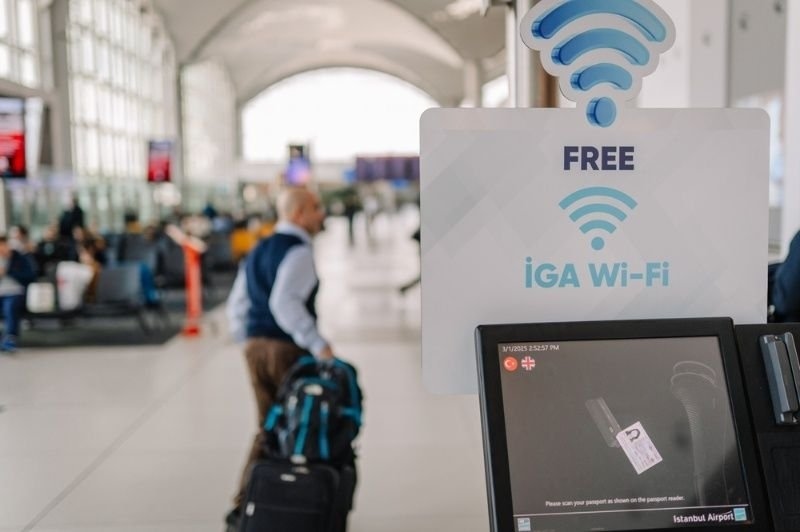
Free internet everywhere is a fact of life now, most people enjoy jumping onto public wi-fi in the coffee shop, on the airplane, or even in the mall without giving it too much thought. Unfortunately, convenience also creates opportunity for cyber criminals who seek to harvest valuable data, such as passwords or banking information, from those networks.
Having a handle on public Wi-Fi safety can keep you connected without compromising your most important data while sharing networks.
Public Wi-Fi Security And Why Shared Networks Need Extra Caution
Shared Wi-Fi networks lack the security of home internet. The public internet is designed to be convenient and easily accessible—not secure and private, meaning that anyone can log in and potentially access your data. The average shared network can have dozens—or even hundreds—of simultaneous users all sharing the same connection, which presents the ideal environment for hackers to exploit unsuspecting surfers in less guarded moments of bliss.
By learning a few basic public Wi-Fi security tips, you can greatly reduce your chances of becoming a victim when browsing the web in a public space.
Understanding the Most Common Public Wi-Fi Risks
Before learning how to best practice public Wi-Fi security, take some time to familiarize yourself with the public Wi-Fi risks inherent in shared networks:
- Fake Hotspots: A favorite scam on the public internet. Criminals create a hot spot with a name like CoffeeShop_Free in order to lure you into connecting to the fake network instead of the authentic one, stealing your data as it flows.
- Data Interception: Without proper safeguards, unencrypted signals carrying passwords, emails, and other personal information are exposed. Hackers can monitor and steal that information off your device as it goes back and forth over the public airwaves.
- Malware Distribution: Some public hot spots are infected with malware, making any connected device vulnerable to infection when downloading files or simply browsing the web.
- Session Hijacking: Cybercriminals steal information relating to your existing login session to websites. You will continue browsing as normal; however, the criminals will be using your credentials without needing to steal them.
Best Public Wi-Fi Security Tips To Consider
Here are some of the best public wi-fi security tips for you to know how to use public Wi-Fi safely:
1. Verify the Network Before Connecting
The easiest and often most effective way to bolster public Wi-Fi security is to ensure that the Wi-Fi network you are connected to actually belongs to the place you are visiting. Double-check with the business or check any visible signs to confirm the Wi-Fi network’s name.
Many people just dive in and connect automatically. Criminals thrive off this habit and often have networks named similarly to those of the real public hotspots. Even one wrong letter can signify that the network you just logged into is run by someone with ill intentions toward you and your private information.
2. Turn Off Automatic Connections
Most computers, smartphones, and tablets are set up to automatically connect to previously visited wireless networks, which could prove a security risk on a public network. Turn off automatic connections, and you will gain full control of the networks you select. To safeguard privacy in a better way, go into your settings and disconnect the device entirely from networks you no longer use.
3. Avoid Accessing Sensitive Accounts
You never want to be doing things such as checking your online bank, filing your taxes, or logging into your social security account while on public Wi-Fi. Even the best public Wi-Fi security can't guarantee to keep your financial information entirely secure on open public networks, and those who are not practicing safe, secure, or aware browsing on a public network have much to lose.
4. Use a VPN Whenever Possible
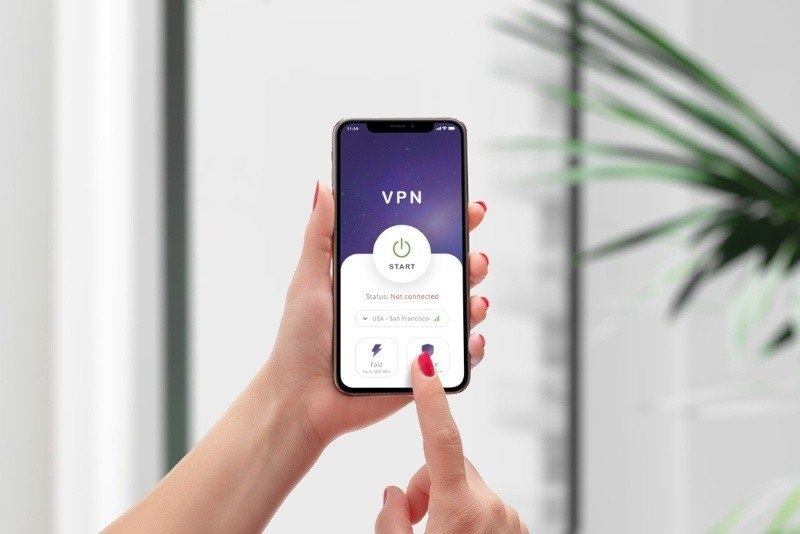
If you want to secure your digital life against just about anything the web throws at you, invest in and regularly use a virtual private network, or VPN. This software creates a tunnel for your online activities so your device communicates privately, encrypting all data you’re sending back and forth across the web.
You can buy VPN services like many on our best VPN services list and access a secure, anonymous internet all the time. Professionals working on the road utilize this as a core component of their daily routine because it helps keep communications private, even from employers or the public Wi-Fi service itself!
5. Keep Sharing Features Disabled
Make sure that your computer's file and printer sharing functions are turned off while on public networks. On these types of public networks, people do not want just anybody to be able to connect and print documents or access files.
It’s simple and easy to turn off file sharing and sharing any wireless device’s discoverability and can prevent anyone else who is online in that same spot from accessing the content on your device, which will lead to safe public Wi-Fi usage.
6. Keep Your Software Updated
Software updates aren't just a nuisance; they typically address and patch recently found security holes in operating systems and applications. If you haven't done an update to your laptop, tablet, smartphone, operating system, or browser in a while, now is the time. An older, vulnerable machine connected to the public internet makes an easy target for criminals looking to break in and steal information.
7. Activate Multi-Factor Authentication
Some sites now offer multi-factor authentication, or MFA, a second layer of security that makes it a lot harder for unauthorized users to access an account. Whether through an email, text, app on your phone, or even a physical hardware key, you'll get an added layer of security to any account that supports it.
That means if a crook manages to get hold of your login information on public Wi-Fi, they’ll have to jump through hoops to gain access.
8. Watch for Suspicious Websites and Downloads
Remember, not every website with an official-looking design is safe. Criminals set up bogus websites and may try to trick you into downloading malware and suspicious files or sharing private information. Use critical judgment on what you are seeing, and if in doubt, don't click.
Especially watch for pop-ups asking you to download anything; they're always a sign to proceed with caution or close your browser immediately.
Learn Further: Google Home Compatible Cameras for Smart Home Security
Conclusion
The public internet is very convenient, and sometimes it is necessary to connect to websites and information while on the road. The trick, however, is not to assume the connection is a secure one. With strong, safe public Wi-Fi usage practices, including public Wi-Fi tips for both devices and your browsing behavior, you can effectively manage your online security when using public WiFi networks.
You will be able to do things you need and know how to use public Wi-Fi safely while safely enjoying private browsing experiences over public WiFi without over-worrying about putting your private data on the line.
Frequently Asked Questions (FAQ’s)
Is my browsing history visible on public Wi-Fi?
The network owner may see your web browsing if the network is not set up for high levels of security and privacy; using secure websites and services and using a VPN is highly recommended. You should protect yourself by always taking the correct security measures when using the public internet.
Is public Wi-Fi on your phone safe in comparison to a laptop?
Public Wi-Fi safety features that apply to a laptop also apply to a mobile; therefore, both should be utilized with caution. Phones offer better security features compared to laptops by default, but nevertheless, both require precautions.
Should I forget the public network when I leave?
This step will prevent your devices from reconnecting to the same network in the future so as to reduce security threats and not get connected to the same network, which can be either a trap or not very safe.
Does the security of a password-protected public Wi-Fi network assure protection?
Public networks that come with a password provide increased security in comparison to public WiFi networks that do not come with a password, yet still are not always very secure, and one needs to employ other security measures. This draft has been created using the currently approved public network security guidance and recommendations for users when they are traveling in other locations.