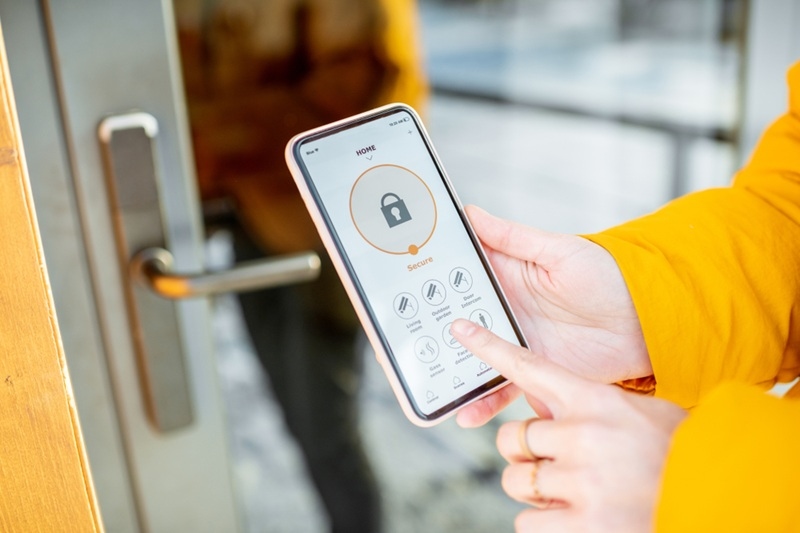
Smart locks feel like a small upgrade that changes everything. No more fumbling with keys. No “did I lock the door?” panic halfway to work. And letting a friend in while stuck in traffic? Kinda magical.
Then the other thought shows up. The annoying one.
“If it connects to Wi-Fi… can it get hacked?”
That question is fair. Not paranoid. Not overthinking. Just basic homeowner logic. This blog breaks down what’s real, what’s hype, and what practical steps actually matter if someone wants strong smart door lock security without turning their home into a tech lab.
Smart Door Lock Security Basics That Actually Help
This is the part people want. Simple moves that make a noticeable difference.
Use Strong Authentication
If the lock platform offers two-factor authentication, turn it on. It is one of the best defenses against account takeovers. Also, use a password manager. Not because it’s trendy. Because it prevents lazy password reuse.
Keep Firmware Updated
Yes, updates can be annoying. But they matter. Many updates patch security issues, not just add features. Make checking updates part of a monthly routine, like changing HVAC filters. Quick. Done.
Secure The Home Wi-Fi Network
This is huge for IoT home security.
- Use WPA3 if available
- Change default router admin credentials
- Use a strong Wi-Fi password
- Keep router firmware updated
- Consider a separate guest or IoT network for smart devices
A smart lock on a weak network is like a strong front door with a wide-open window.
Use Auto-Lock And Access Controls
Auto-lock features reduce human error. And access controls help too. Temporary codes for guests, timed access for cleaners, and removing unused codes all limit risk.
Choose Locks With Manual Backup Options
A quality smart lock should still have a physical fallback. A key override or reliable keypad matters during power issues, phone problems, or app glitches.
Convenience should never mean being trapped outside.
Why People Worry About Smart Locks
Traditional locks can be picked, bumped, drilled, or kicked in. That risk has existed forever, and most people accept it because it feels familiar.
Smart locks add a new category: digital attack paths. That does not automatically make them unsafe, but it does change the threat landscape. A lock that uses Bluetooth, Wi-Fi, or a hub can be attacked in ways a basic deadbolt cannot.
Here’s the key point: most break-ins are still physical, not digital. But digital threats are real enough that homeowners should understand them, especially as IoT home security becomes more common.
How Smart Locks Actually Work
Smart locks usually rely on one of these setups:
- Bluetooth only (often controlled by a phone nearby)
- Wi-Fi enabled (direct connection to a router)
- Hub based systems (Zigbee, Z-Wave, Thread, Matter, etc.)
- Keypad plus app control (sometimes with a backup key)
The connection type matters because it changes the “attack surface,” which is just a fancy way of saying how many ways someone could try to mess with it.
A Bluetooth only lock has a smaller exposure than a Wi-Fi lock that’s open to the internet. But it is not automatically safer. It depends on encryption, firmware quality, and how the homeowner sets it up.
Smart Lock Hacking Risks Homeowners Should Know
Let’s talk about the real smart lock hacking risks without turning this into a Hollywood hacker scene.
Weak Passwords And Bad Account Security
If a lock uses a cloud account and the homeowner uses a weak password, that is a problem. Reused passwords are a bigger problem. If that account gets compromised, the lock can become vulnerable too.
Outdated Firmware
Smart locks are computers. Small ones, but still computers. If firmware updates exist and never get installed, vulnerabilities can stay open longer than they should.
Insecure Wi-Fi Networks
A smart lock’s security depends on the home network. If the router password is weak or the network is outdated, attackers can target the weakest link.
App Or Cloud Service Breaches
Even if the lock is great, the app or cloud platform can have weaknesses. No device exists in isolation anymore. That is the trade-off of convenience.
Bluetooth Attacks
Some attacks involve intercepting or spoofing Bluetooth signals, especially if older encryption or poor implementation is used. Newer locks generally handle this better, but the risk is not imaginary.
These are all reasons smart lock safety is not only about the lock. It is also about the owner’s setup.
Are Smart Locks Safer Than Traditional Locks?
This is where the answer gets… honestly, kind of messy.
In many cases, smart locks can be safer because they reduce common mistakes. People forget keys. People leave doors unlocked. People hide spare keys under planters. Smart locks can eliminate those habits.
But smart locks also introduce digital vulnerabilities. That does not mean they are unsafe. It means the homeowner needs to treat them like a system, not a gadget.
So the practical answer is: smart locks can be very safe, if the homeowner configures them well and picks a reputable product with good security practices.
On a Similar Note: What are the Benefits of Smart Security System for Seniors?
What To Look For When Buying A Smart Lock
Shoppers often focus on features first. Fingerprint. App. Voice assistant integration. That is fine, but security should sit near the top of the list.
Here’s what matters for smart lock safety:
- Regular firmware updates from the brand
- Strong encryption and secure pairing methods
- Two-factor authentication support
- Clear privacy policies and transparent security info
- Reliable offline access options (keypad, key override)
- Tamper alerts or forced entry detection features
- Compatibility with secure home platforms (Matter, reputable hubs)
Also, check how long the company has supported older models. A lock that stops getting updates quickly is a red flag.
Common Myths That Confuse Homeowners
“Hackers Will Target Every Smart Lock”
Most criminals go for easy wins. If a door is unlocked or a window is open, that is the route. Digital attacks are more likely to target weak accounts, weak Wi-Fi, or neglected updates.
“Smart Locks Can Be Opened From Anywhere Instantly”
Not unless the lock is poorly designed or the account is compromised. Most modern locks use encryption and authorization controls. But again, the owner’s account security matters.
“A Smart Lock Means No Physical Break-In Risk”
A smart lock is still a door lock. A strong door frame and quality deadbolt mechanics matter too. Smart features do not replace physical security.
Making Smart Lock Security Part Of A Bigger Home Plan
A smart lock is only one part of the entry system. Homeowners should think in layers:
- Strong door and reinforced strike plate
- Good outdoor lighting
- Visible security camera presence
- Motion alerts
- Secure network setup for devices
This is where IoT home security becomes useful instead of stressful. Devices can support each other. For example, a door unlock event can trigger a camera clip or send an alert.
The goal is not perfect security. That does not exist. The goal is making the home a harder target than the next one.
What To Do If Someone Suspects A Smart Lock Was Compromised
If something feels off, a few steps can help quickly:
- Change the lock account password immediately
- Enable two-factor authentication if it is not already on
- Review access logs and remove unknown users
- Update firmware on the lock and router
- Reset the lock and re-pair devices if needed
- Check the Wi-Fi network for unfamiliar devices
This is also a good moment to review those smart lock hacking risks and see which ones apply based on setup.
Conclusion: Smart Door Lock Security Without The Stress
Smart locks do not need to be scary. They just need respect. Like any connected device, they reward good habits and punish lazy setup. Homeowners who choose reputable brands, update firmware, secure their Wi-Fi, and manage access properly are already doing most of what matters.
And if someone is reading this thinking, “Okay, I should probably check my router settings,” yeah. Same. Most people should.
Read More: Home Safety at Night: Practical Ways to Protect Your Home
FAQs
Can A Smart Lock Be Hacked Easily?
It depends on the lock, the network, and the homeowner’s account security. Strong passwords, updates, and two-factor authentication reduce risk a lot.
Is Wi-Fi Or Bluetooth Safer For Smart Locks?
Bluetooth only locks often have less exposure to the internet, but safety depends on encryption and implementation. Wi-Fi can be safe too with strong network security.
What Is The Best First Step To Improve Smart Lock Safety?
Turn on two-factor authentication, use a strong unique password, and update the lock’s firmware. Those three steps cover many common vulnerabilities.