security system for seniors

What are the Benefits of Smart Security System for Seniors?

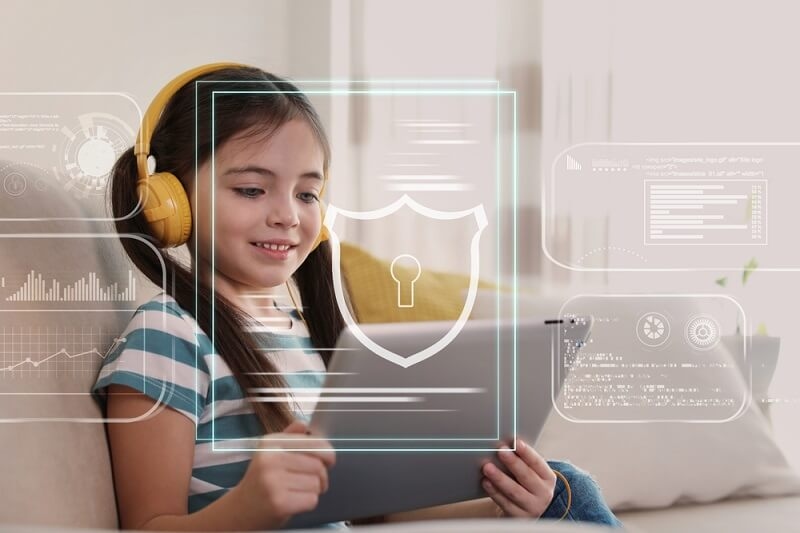
 A security system for seniors is now something many families talk about, mostly because safety at home has become a bigger priority than ever. This blog explains what these systems really do and how they help older people stay safe without making life feel complicated. It will also explain how a home security system is beneficial and what are its different types.Understand the Importance of a Home Security System for SeniorsMore families today look for simple ways to support seniors living at home, especially those who spend a good part of the day alone. A home security system makes this much easier because it adds a quiet layer of protection. The senior can go about their day like normal, and caregivers get updates only when the system notices something important. It is not loud or dramatic. It simply works in the background.One important part of a home security system is how it sends alerts only when needed. For example, if a door opens late at night or there is movement in a room where no one should be, the system sends a quick note to the caregiver's phone. It is simple and does not interrupt daily flow. Seniors do not feel watched, and caregivers feel calm knowing they will be informed if something unusual happens.Another thing that matters is how a home security system helps with small tasks seniors may find tiring. Movement-based lights help avoid walking in the dark. A simple button can lock the door. These tiny actions reduce physical effort and support independence. The system does not take control of the home. It just helps things run smoothly so seniors can stay comfortable and safe.Different Types of Security Systems for SeniorsCheck the following list to find out the different types of security systems for seniors:1. Smart Home Security SystemsSmart home security systems work with simple connected tools. Seniors can check if the door is locked on a small screen or phone. Caregivers can look at the same information from their own device. This way, everyone stays aware without confusion. The system functions smoothly and gives quick updates, making it helpful for daily use. Seniors do not need to learn anything complex. The tools are direct and clear.2. Traditional Security SystemsThere are many old people who prefer traditional systems because they offer basic safety features and a user-friendly experience. These systems usually come with sensors and alarms that alert the user if windows or doors open. They do not require phones or apps. They simply send an alert through the system itself.3. Hybrid Security SystemsHybrid systems mix both styles. They use basic alarms and sensors that seniors can manage easily. At the same time, caregivers can use smart features to view updates and get alerts. This mix reduces pressure on seniors who may not want too many digital steps. It also gives caregivers enough information to react quickly if something unexpected happens. This combination makes hybrid systems good for families that want both comfort and modern support without overwhelming anyone.Why People Are Choosing Security Smart Solutions?There are various reasons for people to choose security smart solutions, they are listed below:Simple Remote AccessRemote access is a big reason many choose security smart solutions today. Caregivers can check the status of doors, lights, and sensors even when they are not home. Seniors get privacy, and caregivers get peace of mind. This helps avoid constant check-ins and replaces them with simple updates. If something important happens, the system alerts the caregiver right away. It makes the whole process smoother and less stressful for both sides.Routine Support for SeniorsSecurity smart solutions assist people to stay steady in their daily life. For example, the lights turn on automatically when they walk into a room. This makes it safe for them to move around and reduces the chances of accidents. Apart from this, automatic door locks and alarms are also extremely helpful. These features are extremely helpful for the safety and security of senior citizens.Extra Safety Through AutomationAutomation gives the system the ability to act on its own, based on what the home needs. It can lock doors at a set time or turn on lights when movement is detected. These steps help create a safe space even when the senior forgets something. The system acts as a quiet backup. It does not get in the way and does not push too many changes. It simply fills in gaps and gives the home more stability, which is especially important for seniors who want safety without feeling controlled.What are the Benefits of a Secure Smart Home?If you want to find out the benefits of a secure smart home, they are given in the following points:Steady Monitoring Without PressureA secure smart home monitors important areas without interrupting daily life. The tools work quietly, and alerts appear only when needed. Seniors can move around normally without feeling observed. Caregivers get peace of mind because they know the system will notify them about anything important. It creates a sense of balance-help is there, but it does not step into the senior's personal space.Peace of Mind for FamiliesFamilies often feel more relaxed when they know the system is watching over the home. If there is unusual movement or if a door opens late at night, the system sends an alert. This gives caregivers time to respond. It does not replace personal care, but it makes daily life easier by adding a backup layer of support. Families do not have to worry every minute, and seniors do not feel pressure from frequent check-ins.Better Control Over Home ActivityA secure smart home allows people to control different parts of their home directly from their phone. Lights, locks, and sensors can all be managed with the app. Caregivers can also check these tools when needed. This makes the home predictable and easier to manage.3 Best Smart Home Security Solutions for SeniorsThe following list will help you find out the three top smart home security solutions for you:1. SimpliSafe Home Security SystemIt is easy to setup that helps seniors to manage it properly. The app allows others to get regular updates to ensure the safety. There is also motion and door sensors for general safety.2. Ring Alarm Security KitIt has a clear and easy-to-use control panel, alongside door and window alerts for simple protection. The system also has cameras that enables remote viewing.3. Google Nest Secure SystemIt is a very user-friendly tool for aged people with simple controls. The tool also has sensors that helps you in basic monitoring.ConclusionA security system for seniors helps create a safer home and supports independence. With simple tools and smart features, these systems make it easier for seniors to manage daily life while giving caregivers steady awareness. It keeps the home secure without adding stress.

biometric

Integrating Biometric Security System in Smart Homes

 Smart homes aren't futuristic anymore, they're a part of everyday life. From connected locks to voice assistants, everything revolves around convenience. But the smarter our homes get, the more they need stronger protection. Passwords can be guessed, keys can be lost. That's where a biometric security system steps in.Biometrics takes security from something you remember to something you are. Your fingerprint, your face, or your voice becomes your key. When paired with smart home tech, it creates a level of security that's not only safer but effortless.Why Smart Homes Need Biometric SecurityYour residence isn't merely a location for living, it's the junction of your whole digital and physical life. As residences get smarter, the demand for equally smart security goes up.Stronger Protection That Feels NaturalThe time of passwords and PINs is over. They can easily be shared or stolen. A biometric security system operates on your unique traits, your fingerprint, your face, your eye, and therefore duplication is nearly impossible.Moreover, it is absolutely seamless. No codes, no keys. You just need to touch, look, or talk, and your system acknowledges your presence. This is where biometrics and security shake hands, with convenience of unmatched safety.Personalized Access ControlYou, with biometric security measures, identify who enters and at what times. Well, your cleaner may be allowed to come only on Mondays. The kids can open the front door but not the safe. Guests get temporary access that automatically expires. Each entry is authenticated, not guessed.Complete System IntegrationYour locks, alarms, and cameras can all communicate through one verified profile. A single scan could unlock the door, disarm alarms, and adjust lighting. That's the power of connected biometric security systems.Top Pick: How to Choose the Best Smart Locks For Your Home?How a Biometric Security System Fits into Smart HomesIntegrating biometrics doesn't mean replacing everything you own, it means adding smarter access control.Step One: EnrollmentEvery single family member has to register their fingerprint, face, or iris. The data is encrypted version and stored either at a local site or in an ultra-secure cloud.Step Two: AuthenticationAt the entry point, the scanner checks the person's data against the stored templates. If it matches, the system allows entry; otherwise, alerts might be raised automatically.Step Three: IntegrationYour smart home hub is the link that connects all apparatus and handles communication with the biometric system. Numerous arrangements are also capable of recognizing multi-modal biometrics, such as blending a fingerprint and a face scan.Step Four: Backup AccessEven the best biometric security systems include a backup: a PIN, mobile app approval, or a key, just in case.Real Use Cases at HomeBiometric security isn't just theory; it's already making everyday life easier and safer in multiple ways.Smart Door LocksYour fingerprint becomes your key. No need to carry anything. The system connects to your smart home and grants access only to verified users.Safes and Restricted AreasBiometric security measures can protect safes or private offices. Each access attempt is recorded, keeping your data and valuables secure.Smart Cameras and AlarmsIf an unrecognized person tries to enter, cameras activate and alerts are sent. If it's you, alarms deactivate automatically.Personalized EnvironmentsA biometrics security system can also personalize your experience - lights, temperature, even playlists adjust the moment it identifies you.The Real Challenges of BiometricsEven the smartest systems have blind spots. Though biometrics make security more personal and reliable, it is still not flawless. Knowing its weak points helps you to get ready, not to be afraid.Spoofing and Fake AttemptsSome individuals attempt to deceive scanners with imitation prints or pictures. Therefore, the latest systems incorporate "liveness detection" to confirm blood circulation and movement.Privacy ConcernsBiometric data is personal. To stay safe, choose systems that encrypt and store data locally instead of uploading it to the cloud.Technical GlitchesLighting, sensor dust, or injuries can affect scans. Reliable biometric security systems handle errors smoothly and offer quick re-enrollment.Power and ConnectivityDuring power cuts or outages, a backup key or PIN ensures authorized access continues.Check out: Why People Prefer Smart Motion Detector Cameras?Best Practices for Setting Up Biometrics at HomeAppropriately installing biometrics is crucial because it makes the distinction between a system that merely functions and one that feels carefree. A few straightforward steps can guarantee that your intelligent home remains secure while not introducing any complexity.Choose the Right TypeFingerprint scanners are fast and small. Facial recognition is contactless. Palm or vein sensors are extremely accurate. Pick one - or combine two.Keep Data LocalLocal storage gives faster access and better control. Matching happens instantly within your network.Test and UpdateEnroll all users and test in different lighting or angles. Update firmware regularly and remove old profiles.Respect PrivacyIf others are enrolled, explain how their data is stored. Transparency keeps everyone comfortable.The Future of Biometric Smart HomesThe future of biometrics and security is all about context. Your home will soon recognize who's inside using subtle patterns, like how you walk or speak.AI-powered on-device processing is making systems faster and more private. Soon, biometric sensors will be built into handles, mirrors, and appliances, security you don't even notice.Adaptive biometrics will take things further, tightening security automatically when you're away or at night. Protection that adjusts to real life.Must Read: Why Every Home Needs an Intruder Alarm System for SafetyConclusion: When Home Security Recognizes YouA biometric security system turns protection into something personal. Your identity becomes your password. Integrated with smart devices, it builds a home that recognizes and responds to you.Challenges exist, but the payoff, safety, control, and simplicity is worth it. Biometric security systems make every action intentional and every entry secure.If you want real protection, move beyond keys and codes. Biometrics offer something no password can, a home that trusts only you.

home lock

How to Choose the Best Smart Locks For Your Home in 2025?

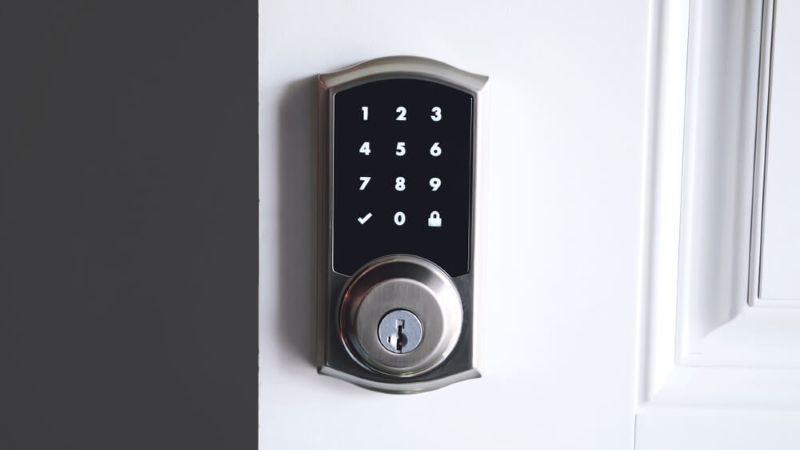
 Just think that you are returning to your home, your hands are filled with a shopping bag, and suddenly, your door just unlocks itself when you go near it. This is exactly how smart locks work.This is just one of the basic reasons behind the popularity of the best smart locks among people who want to make their lives easier and homes safer.In this blog, you will learn how smart locks work and also find out how to choose a smart lock that fits your home perfectly.Understanding How Smart Locks WorkSmart locks are not a piece of magic. They are just similar to regular locks, but are smarter because of tech integration. They can be controlled via mobile applications and smart home systems. Most modern smart locks use Wi-Fi, Bluetooth, or other smart networks to work efficiently. Therefore, it allows you to unlock the door without the need of a key.Some smart locks use fingerprints; others use codes or facial recognition. Some can sense when you are nearby and unlock automatically. They can also lock themselves when you leave. Every unlock and lock is recorded. So, you can check who came in and when.The main idea is simple. You don't have to carry keys everywhere, but you still get strong security. And the locks are made to make life easier. People like that. It feels safe and simple at the same time.How to Choose a Smart Lock for Your Home?Choosing a smart lock is more than picking something new. It's about picking something that fits your door, your daily routine, and your safety needs. There are a few things to think about. This will help you understand how to choose a smart lock.1. Compatibility with Doors and SystemsNot every smart lock fits every door. Some are made for deadbolts. Others are for knobs or levers. Even the thickness of the door matters. If it doesn't fit properly, the lock will not work as it should.It also matters if it works with your home system. Some locks connect to voice assistants or other devices in your home. If you have other smart home devices, it helps if the lock connects easily. This way, you can control many things from one app.2. Access Methods and Control OptionsHow you open the door is important. Some locks use codes that you enter on a keypad. Others use fingerprints or face recognition. Some can detect you when you are near and unlock automatically.Some people still like physical keys. This is helpful if your phone battery dies or there's a power failure. Choosing the right method depends on what makes you feel comfortable and what is convenient for your daily life.3. Security FeaturesSafety is the main reason for a lock. Smart locks use encryption to prevent hacking. Some have alarms if someone tries to force the door. Many send alerts to your phone if something unusual happens.It's also good to check for security ratings. These ratings show how strong the lock is and how well it can protect your home. Some people skip this, but it really matters.4. Connectivity and Battery LifeSmart locks can connect in different ways. Wi-Fi lets you control it from anywhere. Bluetooth or other networks usually work only nearby, but they save battery.Battery life is important. Some locks drain faster than others. Locks with long battery life and warnings for low battery are easier to live with. If you recharge or replace the battery before it dies, the lock stays reliable.Top Smart Locks Features to Look ForWhat makes the top smart locks stand out? It's not just technology. It's how they make life easier and safer. These are the things to check before deciding.1. Multiple Access OptionsLocks that allow codes, fingerprints, or phone apps give more flexibility. Everyone in the home can choose what works best for them. Some people like codes, others like fingerprints, and some prefer apps.2. Auto-Lock and Auto-UnlockThis is very convenient. The door locks automatically when you leave. It unlocks when you return. No fumbling with keys or codes. For busy households or when your hands are full, this is a simple lifesaver.3. Smart Home IntegrationSome locks connect to other home devices. You can control lights, cameras, and alarms all from one place. It makes life smoother when everything works together.4. Activity Logs and AlertsThe best locks keep track of who comes and goes. Alerts sent to your phone can warn you if something seems wrong. Even small incidents are recorded, so you always know what's happening at home.5. Emergency Access BackupEven smart locks can fail, so a backup key or manual override prevents you from getting locked out. It is simple but extremely important because emergencies can happen, and you should always be prepared for such situations.Are Smart Locks Worth It For You To Invest in Them?Many people ask, "Are smart locks worth it?' The answer depends on your lifestyle. Smart locks make life easier. You can give temporary access to guests, family, or service workers without leaving a key under the mat.They help you keep track of your home. Knowing when someone enters gives peace of mind. You can control it remotely or let it work automatically.Traditional locks do their job. But smart locks add comfort and control. They are convenient, safe, and flexible. For anyone who wants a little more from their home security, they are worth it.Things That You Should Know Before Installing the Best Smart LocksBefore installing a smart lock, a few simple steps help. They make sure the lock works smoothly and fits your home.1. Assess Door Type and ConditionCheck your door's material and strength. Some locks need minor adjustments to fit. A strong door helps the lock work better and last longer.2. Set Clear Access PreferencesDecide who will have access and how. Some people prefer codes, others like fingerprints, or phone apps. Setting this ahead prevents confusion later.3. Test the ConnectivityOnce installed, test the features. Make sure the app works. Check auto-lock and manual functions. Testing first avoids frustration later.ConclusionSmart locks make homes safer and life easier. They are simple, connected, and convenient. Knowing how smart locks work and how to choose a smart lock helps homeowners pick the right one. The best smart locks give security, flexibility, and peace of mind. They show that home technology can really make life simpler and safer.

fall detection

What Is Fall Detection: A Complete Guide for Seniors

 If you've ever worried about an older family member living alone or thought about your own safety as we get older, you've probably heard of fall detection. But what is it, really? Let's break it down.At its core, what is fall detection? It's a technology that notices when someone has fallen and alerts a caregiver, family member, or monitoring service. If a fall happens, help comes fast-even if the person can't reach a phone or press a button. For seniors or people with medical conditions, this can be life-saving.The tool that makes this possible is a fall detection device. It's usually something you wear-like a pendant, bracelet, or smartwatch-or sometimes part of a home-based system. Its job is simple: detect falls automatically and make sure help is on the way.Why Fall Detection MattersWhy is fall detection so important? Look at the numbers: one in four Americans over 65 falls each year. The real danger is in the time one lies on the floor. A delay in help can bring severe complications. Fall detection devices can bring that extra ounce of security to your life. Even if some feels unconscious after falling on the floor while they are all alone, the alert prompts help to arrive sooner. Must Read: Why Every Home Needs an Intruder Alarm System for SafetyHow Does Fall Detection Work?There's a big question, "how does fall detection work?" Most devices use sensors like accelerometers and gyroscopes to identify sudden changes in movement and orientation.Let me provide a basic explanation: Falling means that your body is moving differently than normal---you go down quickly, sometimes rotate, then remain still. The device senses that motion and checks whether you are inactive afterward, then decides whether to set off an alert.Advanced devices may use extra sensors or algorithms to reduce false alarms. Once a fall is detected, the device can call a monitoring center, alert a family member, or dial 911. Some even use GPS so help can find you anywhere.Can Fall Detection Detect Slow Falls?People often ask: "can fall detection detect slow falls?" Slow or low-impact falls, like sliding off a chair, are harder for most devices to catch. They may not generate enough sudden motion to trigger the sensors. While most devices can recognize the movements and characteristics of a fast, abrupt fall, slow falls remain problematic. Some of the latest equipment considers radio-frequency sensing or machine learning for detection, but it is that a fall detection device currently best serves as a safety net for sudden falls. What Is a Fall Detection Device?Fall detection devices could include gadgets, whether worn on the body or installed in the home. Common types are:Pendant or necklace: Classic, simple, rarely associated with a home alert system.Wrist device: A bracelet or a smartwatch, mobile-friendly, and sometimes with health tracking.Clip-on or belt device: Less frequent but may be practically useful in some cases.Ambient sensors: Motion or radar sensors in a room, mostly under research.Battery life, comfort, ease of operation, and whether or not they can alert someone outside the home should be among the factors to consider when buying a fall detection device. The best devices minimize false alarms while catching real falls.Also check: Why People Prefer Smart Motion Detector Cameras?Best Fall Detection System for SeniorsWhat is the best fall detection system for seniors? It would all come down to life needs and lifestyle. Here are the top choices:Apple Watch: Good for automatic fall detection, calling of emergency contacts, and active seniors.Medical Guardian: Mini Guardian: Pendant system with a strong range and customizable alerts.Lifeline HomeSafe / AutoAlert: Home-based system with professional monitoring.LifeFone: Cheaper, simpler, and more basic at fall detection.Kanega Watch: A senior-focused smartwatch for fall detection and other safety features.When choosing, consider home vs. mobile use, tech comfort, and how often the user is out and about.How Much Does a Fall Detection System Cost?"How much does a fall detection system cost?" depends on device, plan, and features:Monthly monitoring fees: Usually $18-$70.Device and plan: $100 to $200, sometimes included with the plan.Extras: Additional GPS or premium monitoring costs between $5 and $15 per month.Some companies lease the device instead of selling it, lowering upfront cost but keeping monthly fees higher. Balance cost with features and peace of mind.Limitations to KnowA fall detection device isn't perfect.Accuracy: Some false alarms happen if you drop the device or move abruptly. Slow or low-impact falls may not trigger it.Battery and wear: If it isn't worn or charged, it doesn't work. Comfort matters.Environment: Poor GPS coverage, home layout, or vibrations can affect performance.Cost: Monthly fees add up; check what's included.Even with these limits, it's far better than nothing. For seniors, a fall detection device adds a vital layer of safety.Tips for Using Fall Detection EffectivelyWear it correctly: Follow instructions. A pendant tucked under clothing or a loose bracelet won't detect falls reliably.Test it regularly: Make sure alerts work.Pair with prevention: Remove tripping hazards, add grab bars, improve lighting, do balance exercises.Have a backup: Manual buttons or phone contacts catch slow falls.Check your plan: Know how alerts are handled.More to Explore: What is Home Appliance Insurance & Why You Need it?Bottom LineSo, what is fall detection? It's technology that senses a fall and alerts help automatically. A fall detection device makes this possible. The best fall detection system for seniors matches the person's lifestyle and needs.How does fall detection work? Sensors detect sudden motion, orientation changes, and inactivity, then trigger alerts. Can fall detection detect slow falls? Not always; they're harder to catch. How much does a fall detection system cost? Monthly fees are usually $18-$70, plus device costs.A fall detection device isn't perfect, but it adds peace of mind and quick help when it matters most.

uwb-home-security

What Is a UWB Smart Lock and Why It is Safer for Families?

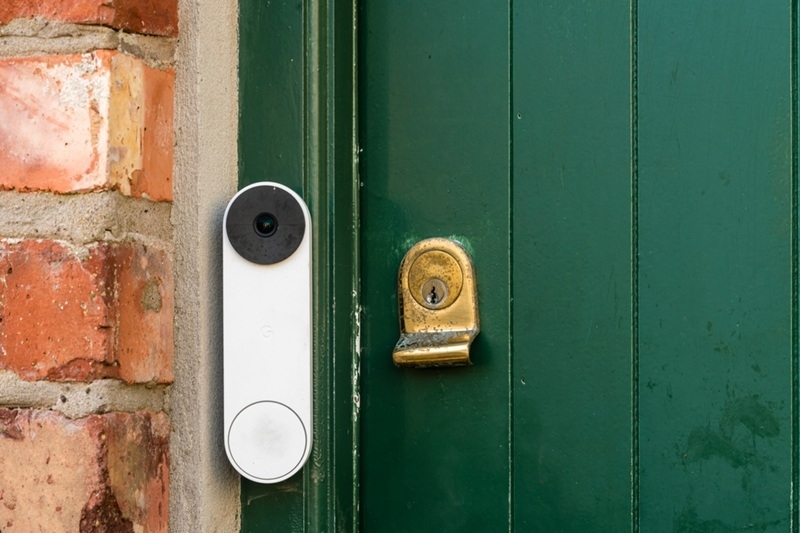
 Every home tells a different story about safety,, and for many families, that story begins at the front door. The lock at the entry gate is like the first line of defense. For decades, people relied on simple keys and traditional locks, but times have now changed, and safety needs have grown.This is the exact reason why you need UWB smart locks in 2025 to secure your home. They may look like regular locks, but they use advanced ultra-wideband technology to decide when to open. Families are turning to them because they are not only modern but also much safer.What Is a UWB Smart Lock?A UWB smart lock is different from older locks as it uses ultra-wideband signals to detect the exact location of an authorized device, such as a smartphone or a digital key fob.Instead of just checking if a device is nearby, the lock knows exactly where it is, and that means the door only opens if the person carrying the device is right in front of it.For families, this matters a lot because it prevents mistakes like a door opening when the user is still a few steps away. It also makes it harder for strangers to trick these smart door lock systems.Why Families Prefer UWB Smart LocksFamilies today face new safety challenges. Keys can be lost. Old locks can be picked. Even some smart locks can be hacked through stolen signals.But a UWB smart lock works differently. It checks both identity and location. That double check makes it much harder for strangers to break in.For families, this means peace of mind:Children can come home safely without worrying about losing keys.Older relatives can enter easily without struggling with traditional locks.Parents can trust that strangers cannot fake signals to get inside.The result is stronger family stranger safety and more confidence in daily life.The Importance of Smart Lock InstallationGetting the right lock is only half the story. How it is installed matters just as much.Smart lock installation is usually simple. In most homes, the lock can be fitted onto the existing door without replacing the entire system. But proper installation ensures it works as intended.When installed correctly, a security door smart lock becomes reliable and easy to use. Families do not have to worry about technical issues or weak spots in their safety system.Everyday Benefits Families NoticeTechnology is most valuable when it makes daily life easier. A UWB smart lock is designed to do exactly that.Parents carrying groceries no longer need to fumble with keys. The door opens automatically when they approach. Children returning home after school do not need to remember codes. Their devices unlock the door without effort.Even older relatives benefit. They no longer need to handle tiny keys or remember long combinations. The lock recognizes them and unlocks smoothly.Here are everyday advantages families experience:No More Lost Keys: Entry depends on devices, not physical keys.Hands-Free Access: The door opens automatically when the right person arrives.More Privacy: Strangers cannot duplicate signals or force entry.Control Access: Families decide who gets entry and at what times.These small benefits build up to something bigger that is a safer and simpler way of living.Comparing Security Door Smart Locks and Traditional LocksIt helps to see how these locks compare to what most people already use.Traditional locks rely on physical keys because of which the risk of those keys stolen, copied, or misplaced is pretty high. Even if they work well, they leave families open to risks.Older smart locks are an improvement, but they often use Bluetooth or Wi-Fi. These signals can sometimes be stolen, giving hackers a chance to break in.A security door smart lock with UWB works differently. It requires both the correct device and the right location. That means someone cannot unlock the door just by stealing a phone or fob. They must also be at the exact spot near the door.This extra layer of precision makes the lock far safer for families.Why Family Stranger Safety MattersWhen families think about safety, they are not just thinking about doors and locks. They are thinking about children, elderly parents, and peace of mind.Family stranger safety is about making sure strangers never gain easy entry. It is also about protecting loved ones in simple, everyday moments.Imagine a child getting home from school and unlocking the door without worry. Or an older parent entering the house without needing to fiddle with keys. These small moments show why UWB smart locks matter. They make families feel safer in the most practical ways.What to Think About Before InstallingBefore choosing a UWB smart lock, families should keep a few simple points in mind:Does It Fit the Door?Some UWB smart locks are a bit bigger in size because of which they may require some minor adjustments.How is It Powered?These UWB smart locks use batteries as their main source power which occasionally need to be replaced.What if Power Fails?It always necessary to have a backup entry option when you use UWB smart locks, as power shortage can stop it from working. Though the chance of something like this is extremely low, but you should stay prepared.Why UWB Smart Locks Are the FutureTechnology is moving fast, and safety is changing with it. Families want locks that are both strong and simple. They do not just want security; they want convenience too.This is why more homes are choosing UWB smart locks as it protects people against strangers while making life easier. They remove the risks of lost keys, forgotten codes, or stolen signals.Over time, they may replace traditional locks entirely. They are already proving to be one of the safest types of security door smart lock available today.ConclusionA home feels safe when the front door is strong. UWB smart locks make that strength smarter. They combine precise sensing, smooth smart lock installation, and stronger family stranger safety in one system. For families wanting peace of mind, a UWB smart lock is one of the best choices available today.