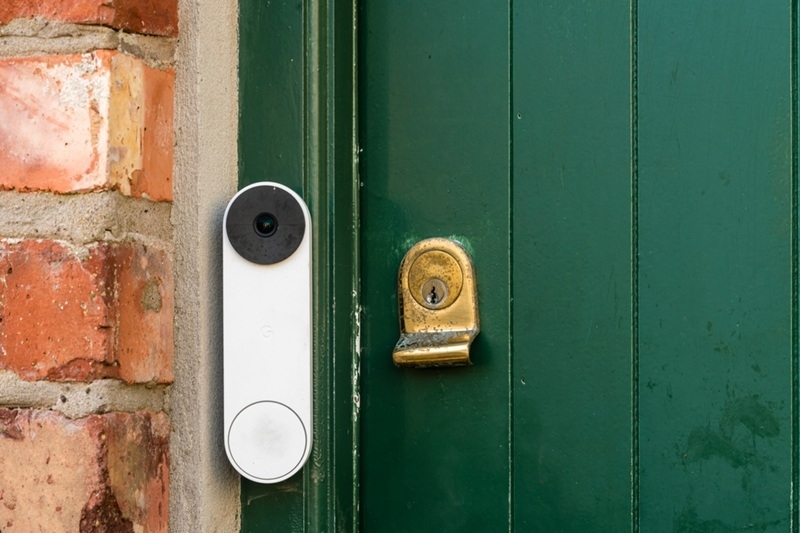
Adding a video doorbell is one of the easiest ways to upgrade your home security. But a rushed setup can lead to poor angles, weak signals, and constant false alerts. If you are planning a doorbell camera installation, you need more than a screwdriver. You need the right placement, power choice, and setup strategy.
This guide walks you through six practical things to think about before and during installation. If you are figuring out how to install a doorbell camera for the first time or upgrading to a better model, this will help you get it right the first time.
Doorbell Camera Installation Tips That Actually Make a Difference
Before you wrap up your doorbell camera installation, run through these final checks to make sure everything works the way it should.
1. Mount at the Right Height
The most common mistake in doorbell camera installation is mounting it too high or too far from the door.
Most security experts recommend installing your camera around 42 to 48 inches from the ground. That height captures faces clearly and still gives you a good view of packages left at your door. If you install it too high, you will mostly record the top of people’s heads. Too low, and you may trigger alerts from pets or passing cars.
Keep these placement basics in mind:
- Mount it close to the door frame.
- Avoid pointing it directly at bright sunlight.
- Make sure nothing blocks the lens, including plants or decor.
- Test the camera view in the app before final mounting.
Good placement improves motion detection accuracy and reduces unnecessary notifications. A solid doorbell camera installation starts with positioning.
2. Wired or Wireless Doorbell Camera: Choose the Right Power Option
Before you start drilling, decide whether you want a wired model or a wireless doorbell camera.
Wired Setup
A wired camera connects to your existing doorbell wiring. Benefits include:
- Constant power supply
- No battery charging
- Stable performance in extreme weather
If your home already has working doorbell wiring, this option is straightforward. If not, you may need an electrician. This makes wired systems slightly more complex in a home security camera installation.
Wireless Doorbell Camera
A wireless doorbell camera runs on rechargeable batteries. It is ideal if:
- You are renting
- You do not want to deal with electrical wiring
- Your entryway has no existing doorbell wiring
Battery models are easier when learning how to install a doorbell camera for the first time. Just remember to monitor battery levels. A low battery can delay alerts or reduce recording time.
3. WiFi Strength Is Non-Negotiable for Smart Doorbell Setup
A smart doorbell setup depends on strong internet. Without reliable WiFi, you will deal with frozen video, delayed notifications, or dropped connections.
Before starting your doorbell camera installation:
- Stand at your front door with your phone.
- Run a speed test.
- Check signal strength.
If your WiFi is weak near the entryway, consider:
- Moving your router closer
- Installing a WiFi extender
- Upgrading to a mesh system
This step is often overlooked, but it determines how smoothly your smart doorbell setup runs. Even the best hardware will underperform with weak connectivity.
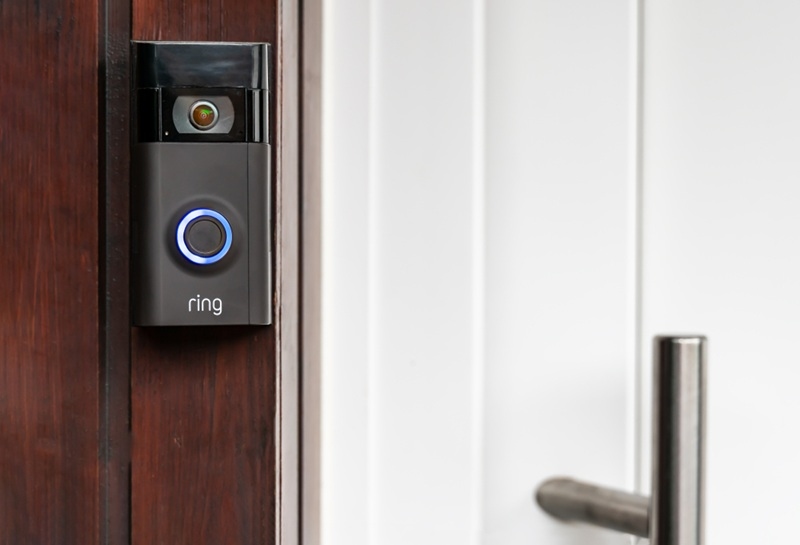
4. Get the Angle and Motion Zones Right
After mounting your device, take time to adjust the camera angle. This is where many people rush.
Tilt the camera slightly downward so it captures faces and packages. Most modern doorbells offer adjustable brackets for this purpose.
Next, configure motion detection zones in the app. This helps reduce unnecessary alerts.
For example:
- Exclude the street if cars constantly pass by.
- Focus on your porch area.
- Avoid including trees or bushes that move in the wind.
These simple video doorbell installation tips can cut false notifications in half.
5. Think About Lighting and Weather Exposure
Lighting plays a major role in video quality. Even with night vision, poor placement can create glare or heavy shadows.
For better results:
- Avoid installing directly under a bright porch light.
- Make sure the camera is not facing reflective surfaces.
- Test nighttime footage before finalizing placement.
Weather protection is also important. While most models are weather resistant, it helps to:
- Mount under a covered porch when possible.
- Avoid spots where rainwater pools.
- Check seals and mounting screws regularly.
If you are doing a full home security camera installation, consistency matters. Each outdoor device should have similar protection and maintenance checks.
Taking five extra minutes during your doorbell camera installation can prevent months of frustration later.
6. Plan the Installation Process Before You Start
If you are wondering how to install a doorbell camera smoothly, preparation is everything.
Before installation:
- Charge the battery if using a wireless doorbell camera.
- Download the companion app.
- Connect the device to WiFi.
- Test live video inside your home.
Many brands recommend setting up the device in the app before physically mounting it. This avoids uninstalling it later if something fails during setup.
When doing a smart doorbell setup:
- Mount the bracket securely.
- Attach the device.
- Secure it with provided screws.
- Test motion alerts.
- Confirm audio clarity.
If your doorbell connects to an existing chime, double check compatibility before installation. Not all systems support every voltage range.
A careful doorbell camera installation reduces the chance of having to redo the entire process.
Related Reads: Smart Doorbell Camera Automation Guide For Everyday Homes
How Doorbell Cameras Fit Into a Full Home Security Camera Installation
A doorbell camera is often the first step into broader security upgrades.
When integrated correctly, it can:
- Sync with indoor cameras
- Trigger smart lights
- Connect to alarm systems
- Store footage in cloud backups
In a complete home security camera installation, your front door camera becomes the first line of monitoring. It captures visitors, delivery drivers, and unexpected activity before anyone enters your home.
Quick Checklist Before You Finish
Use this simple checklist to confirm your setup:
- Camera mounted 42 to 48 inches above ground
- Clear view of faces and packages
- Strong WiFi signal at the door
- Motion zones customized
- Battery fully charged or wiring secured
- Night view tested
If all boxes are checked, your doorbell camera installation is ready.
Explore More: Smart Door Lock Security: Are Smart Locks Safe From Hacking?
Final Thoughts
A doorbell camera installation is not complicated, but it does require planning. Placement, power source, connectivity, and setup all affect how well the device performs.
If you take time to understand how to install a doorbell camera properly, configure motion zones, and optimize your smart doorbell setup, you will get reliable alerts and clear footage when it matters most.
Whether you choose a wired model or a wireless doorbell camera, the goal is simple. Strong coverage at your front door and fewer false alerts.
FAQs
Here are quick answers to common questions about installing a doorbell camera.
How hard is it to learn how to install a doorbell camera?
Most wireless doorbell camera models are simple to install and take under 30 minutes. Wired models may require basic electrical knowledge.
What are the most important video doorbell installation tips?
Focus on proper height, strong WiFi, and motion zone setup. Placement affects performance more than brand choice.
Can a doorbell camera be part of a larger home security camera installation?
Yes. Many systems allow integration with indoor and outdoor cameras, alarms, and smart home devices for complete coverage.